
Tune
Me Up
Real-time auto-tune and note-by-note vocal editing in one plugin. Fix a pitchy take in seconds, or hand-shape every word. Works in Logic, Ableton, FL Studio and more, on Mac and Windows.
Free 14-day trial, no card needed. Launch price $29.
Two ways to tune, working together
Auto mode tunes everything as you sing. Graph mode lets you fix any note by hand. The notes you edit keep your changes, and Auto takes care of the rest.
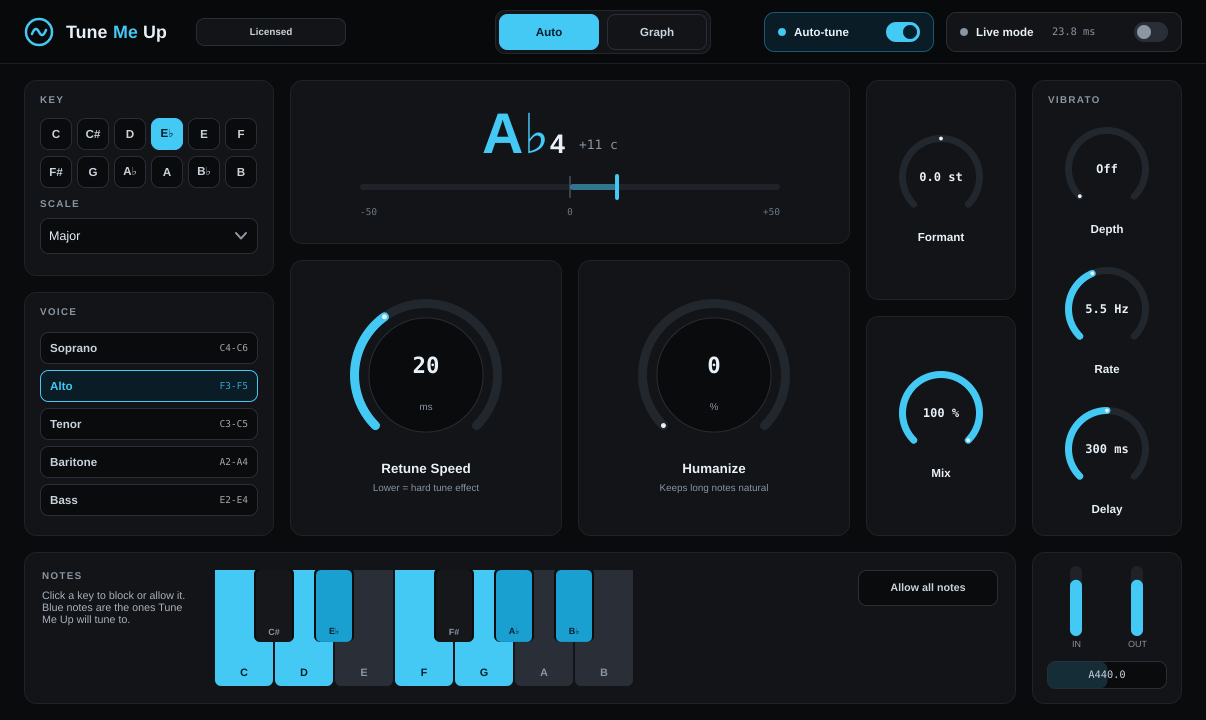
Auto
Pick your key, choose your voice type, and sing. Tune Me Up pulls every note onto pitch in real time.
- Retune Speed from natural to the hard, robotic effect
- Humanize keeps long notes and vibrato sounding real
- Live mode for tracking and performing, with as little as 6.5 ms of delay
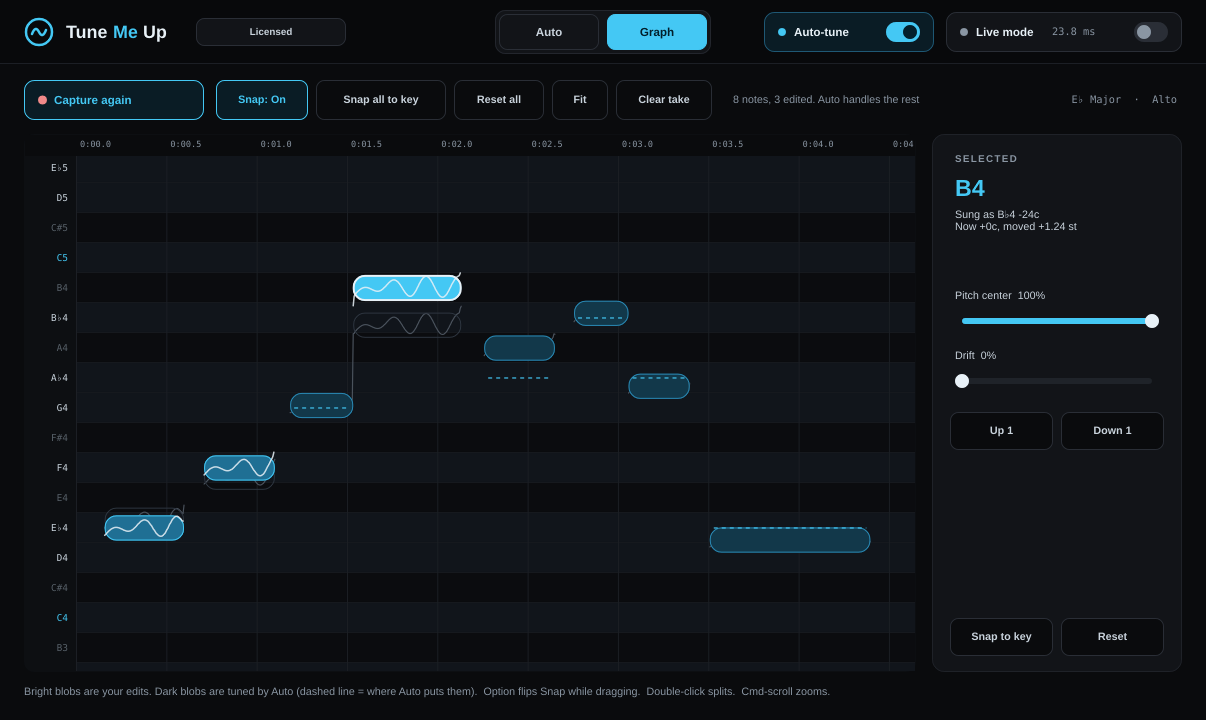
Graph
Capture a take and every note shows up as a blob. Drag it up or down to change it, word by word.
- Snap notes to the key, or move them freely
- Pitch Center and Drift clean up a note without killing its character
- Split a blob in two when words run together
- Your edits save with your project
Built for vocals
- Voice types
- Soprano, alto, tenor, baritone and bass presets make pitch tracking more accurate.
- Formant
- Make a voice sound bigger or smaller without changing the note.
- Vibrato
- Add vibrato to held notes, with depth, speed and how long to wait before it starts.
- Note keyboard
- Block notes you never want to land on, right from the plugin.
- Light on your computer
- Uses about 1% of one processor core in a typical session.
- Standalone app
- Sing through Tune Me Up live, no DAW needed.
Works with your DAW
- Logic Pro
- GarageBand
- MainStage
- Ableton Live
- FL Studio
- Studio One
- Cubase
- Reaper
- Bitwig
- Cakewalk
Audio Unit and VST3 formats, plus a standalone app. macOS 11 or later on Apple silicon or Intel. Windows 10 or 11, 64-bit. Pro Tools (AAX) isn't supported yet.
One price, both computers
- Try everything free for 14 days first
- Mac and Windows versions included
- Use it on up to 2 computers you own
- Free updates for version 1
- Download and license key right after checkout
- 14-day money-back guarantee
Help
How do I install it?
Right after checkout you'll land on a page with your license key and the download for Mac and Windows. Save the key (there's a button to email it to yourself). Run the installer for your computer, open your DAW, and add Tune Me Up to a vocal track. The first time it opens, paste your key and click Activate. If your DAW doesn't show it right away, rescan your plugins.
Is there a free trial?
Yes. Download Tune Me Up, open it in your DAW and click Start 14-day free trial. Everything is unlocked, no card or signup needed. If you buy during or after the trial, paste your key into the plugin and you keep going with no reinstall. If you don't, it stops tuning after 14 days.
Can I use it on more than one computer?
Yes, on up to 2 computers you own. To move it to a new computer, open Tune Me Up on the old one, click the license badge at the top, and choose Deactivate this computer.
Does it need the internet?
Only to activate the first time. After that it works offline. It checks in every couple of weeks when you're online.
Does it work in Pro Tools?
Not yet. Tune Me Up comes as Audio Unit and VST3, which covers most other DAWs. Pro Tools support is on the list.
What if it's not for me?
Email us within 14 days of buying and we'll refund you in full. See the refund policy.
I need help.
Email cici.tenfour@gmail.com with your DAW, your computer, and what happened. Screenshots help.